
The computer system
WEEK 1
Topic: The computer system
OBJECTIVES
At the end of the lesson, Pupils should be able to:
(i). Explain the term system Computer system computer system
(ii). Explain the term hard Ware, software and Users.
INSTRUCTIONAL MATERIALS:
A functional computer system
CONTENT
COMPUTER SYSTEM
A computer system is a group of different devices that work together with the help of stored programs to accept, process, store and retrieve information.
These groups of different devices are called HARDWARE, while the stored programs are called SOFTWARE. The hardware of a computer system is explained below.
INPUT DEVICES
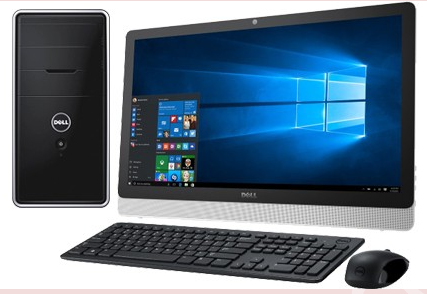
Examples of input devices are: keyboard, Mouse, Joystick, Light pen, Scanner etc. All these are used to send messages in the form of data and instructions into the computer. The most common of these are keyboard and mouse.
OUTPUT DEVICES
Examples of output devices are: Monitor, printer, speakers, plotters, data projector, etc. They are used for displaying or showing information from the computer.
SYSTEM UNIT
The System Unit is a part of the computer that contains the processor, also called the Central Processing Unit and some other parts. All the physical parts of the computer are connected to the System Unit.
The System Unit consists of: a power button, a reset button, and drive doors. At the back of the System Unit are the communication ports where other parts of the computer are connected.
ASSESSMENT AND EVALUATION
(i). Explain the term system Computer system computer system
(ii). Explain the term hard Ware, software and Users.
CONCLUSION: The teacher goes over the topic once again for better understanding